
Last updated: July 2026
- The 30-second answer
- How Set Variable and Get Variable Actually Work
- The Variable Lifetime Trap: One Cycle vs. One Execution
- Execution Order: Why “First on the Canvas” Doesn’t Mean “First to Run”, and How Make Set Variable / Get Variable Not Working Hides Here
- The Cross-Route Retrieval Trap (and When It Actually Works)
- Name Mismatches and the Invisible-Output Problem
- Worked Example: Carrying a Flag Across Router Branches
- When to Use Data Stores Instead
- Set Multiple Variables and Get Multiple Variables: When to Use Them
- Make Set Variable Get Variable Not Working? Run This Checklist First
- FAQ
You built the scenario, named the variable carefully, and wired up Get Variable exactly where you need it, and the output panel shows nothing. Make set variable get variable not working is one of the most reliably confusing problems on the platform, because the modules look right, the scenario runs without errors, and the value is simply gone. The cause almost always comes down to one of four things: the wrong Variable Lifetime setting, a Get Variable that runs before the Set Variable that feeds it, the cross-route retrieval trap, or reaching for scenario variables when the job actually calls for a Data Store. This guide names each failure mode, shows you exactly what went wrong, and hands you the fix.
The 30-second answer
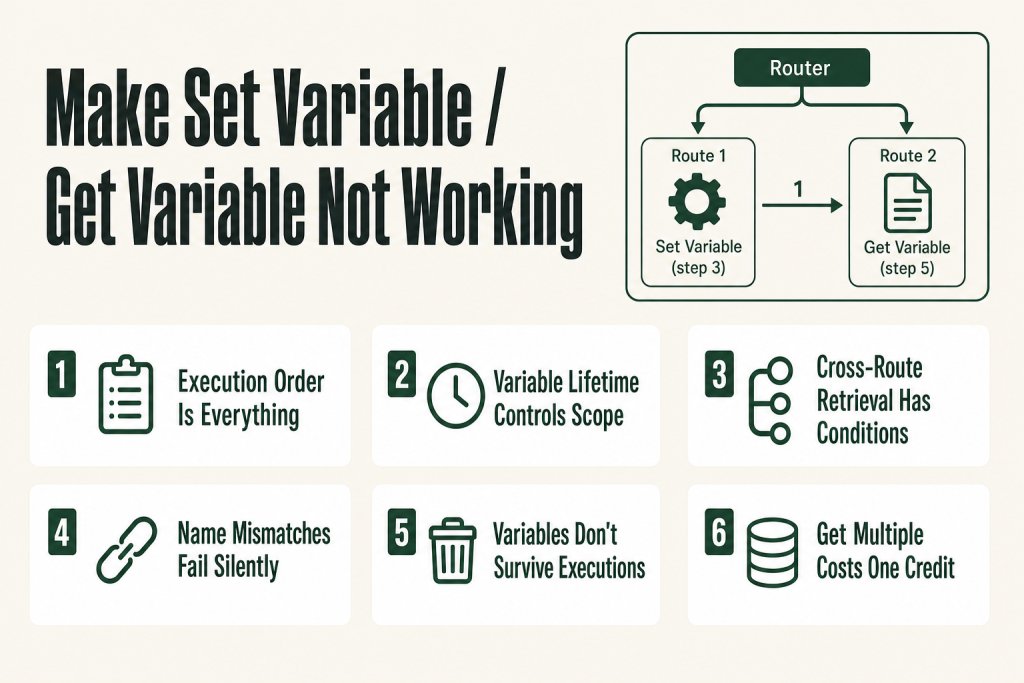
- Set Variable must execute before Get Variable, in real time, not just in the visual layout. The module positioned earlier on the canvas does not guarantee earlier execution, especially inside a Router.
- Variable Lifetime controls scope. Set it to One cycle and the value resets on every bundle. Set it to One execution and the value persists for the entire run, but only for that run.
- Cross-route retrieval only works when the Set route genuinely completes first. If your Router assigns route numbers out of order with how the routes actually finish, Get Variable on a later-numbered route can fire before Set Variable on an earlier-numbered route finishes processing its bundle.
- Get Variable returns empty if the variable name doesn’t match exactly. Case, spaces, and special characters all matter, it’s a string match.
- Scenario variables don’t survive between executions. If you need a value tomorrow, next run, or in a different scenario, use a Data Store.
- Get Multiple Variables is more efficient than a chain of Get Variable modulesone module, one credit, all the values at once.
How Set Variable and Get Variable Actually Work
Think of scenario variables as a shared whiteboard that exists only while a single execution is running. The Set Variable module writes a name-value pair to that whiteboard. The Get Variable module reads it back by name. When the execution ends, the whiteboard is erased, nothing carries over to the next run.
The official Make documentation confirms the core rule: Get Variable can read a variable that was set anywhere in the scenario, but Set Variable must be executed before Get Variable, in time, not just in position on the canvas. That word “time” is doing a lot of work, and it’s where most problems begin.
Each Set Variable module has three fields that matter:
- Variable Namethe identifier you’ll type into Get Variable to retrieve the value. It’s a plain string match; one wrong character and the lookup returns empty.
- Variable Valuewhat you’re storing. You can map from any upstream module output, use a formula, or type static text.
- Variable Lifetimeeither One cycle or One execution. These are the two options Make currently shows in the module. The difference between them trips up a lot of people, see the next section.
Get Variable has one field: Variable Name. You type the same name you used in Set Variable. If those two strings don’t match character-for-character, you get nothing back, no error, just an empty output.
Get Multiple Variables (and its counterpart Set Multiple Variables) works the same way but handles several name-value pairs in a single module, consuming one credit instead of one per variable. If you’re retrieving more than one value, that’s the module to reach for. If your formula expressions are also misbehaving, Make Formula Not Working covers why expressions return wrong values or errors.
The Variable Lifetime Trap: One Cycle vs. One Execution
This is a setting many people never touch, and it’s a well-documented source of empty-value complaints worth understanding up front.
Make processes data in bundles. When a trigger produces multiple records (say, ten rows from a Google Sheet), each row is a separate bundle. Each bundle moves through the scenario in its own cycle. A single execution can contain many cycles.
When Variable Lifetime is set to One cyclethe variable resets with every new bundle. That’s useful when you want a fresh counter or flag per item. But if you Set Variable on cycle 1 intending to read it on cycle 3, you’ll get nothing, the value was wiped before cycle 2 even started.
When Variable Lifetime is set to One executionthe value persists across all cycles within the same run. That’s the setting you want when you’re trying to carry a value across bundles, for example, accumulating a running total or passing a flag from one router branch to a later branch that processes a different bundle.
The fix: Open your Set Variable module, check the Variable Lifetime field, and choose the scope that matches your actual need. If you’re reading the value in the same cycle that set it, either setting works. If you’re reading it in a different cycle, or after a router branch completes and another begins, set it to One execution.
One honest caveat: scenario variables of either lifetime disappear the moment the execution ends. They were never meant to replace persistent storage. If you need a value to survive to the next scheduled run, a Data Store is the right tool, more on that below.
Execution Order: Why “First on the Canvas” Doesn’t Mean “First to Run”, and How Make Set Variable / Get Variable Not Working Hides Here
Make executes modules sequentially along each path, but the scenario canvas is a 2D diagram, and the visual position of a module tells you nothing about when it actually runs.
Here’s the specific case that catches people: you have a Set Variable module sitting visually to the left of, or above, the Get Variable module. You assume left-means-earlier. It doesn’t. What matters is the connection chain. Make follows the wires, not the coordinates.
A subtler version of this problem appears when you manually drag a module and rewire it. The module gets a new canvas position but Make’s internal execution order is determined by which module’s output feeds the next module’s input. If you’ve ever seen a variable that “used to work” stop working after you reorganized the canvas, this is likely why.
To diagnose execution order, open the execution history for a recent run and expand it module by module. Make numbers each step in the order they ran. Confirm that your Set Variable step number is lower than your Get Variable step number. If it isn’t, you need to restructure the route, not just move modules around visually.
A related issue: when you add a Get Variable module to an existing scenario and open its configuration, the variable you want may not appear in the dropdown. This happens because the mapping panel only shows variables that Make has already “seen” in the current editor session, it needs to have run the Set Variable module at least once with that name. Run the scenario once (or click Run once), then reopen Get Variable. The variable should now appear. If fields are vanishing from the mapping panel more broadly, Make Mapping Fields Missing covers every cause and how to restore them.
The Cross-Route Retrieval Trap (and When It Actually Works)
This one has its own dedicated thread in the Make community forum and it trips up people who’ve read the docs carefully. The documentation says Get Variable can read a variable set anywhere in the scenario, the route doesn’t matter. That’s true in principle. The catch is the word “anywhere” still requires the Set to happen before the Get in time.
Here’s how the trap works. You have a Router with two branches. Route 1 ends with Set Variable. Route 2, which runs after Route 1 in your mental model, starts with Get Variable. You expect this to work. Sometimes it does. Sometimes it doesn’t. Why?
Make processes one bundle at a time through the entire scenario before moving to the next bundle. Within a single bundle’s journey, routes are processed in the order their route numbers appear in the Router. Route 1 runs, then Route 2. If Route 1 runs Set Variable and Route 2 runs Get Variable, for the same bundle, and both routes actually trigger for that bundle, the sequence works.
It fails when Route 1 doesn’t trigger for a given bundle (because the filter condition isn’t met), so Set Variable never runs, and Route 2’s Get Variable finds nothing. It also fails if you’ve wired the routes in the wrong numbered order, Make’s Router respects the numbers on the route lines, not the visual top-to-bottom position. You can verify and reorder routes in the Router’s settings panel.
The documented requirement, per Make’s own help, is that Set Variable must be executed before Get Variable in time. Cross-route retrieval is supported, but execution order must still hold. If your scenario structure can’t guarantee that order for every bundle, you need a different approach, see the Data Stores section below.
For more on how Router routes are ordered and filtered, see the deep-dive at Make Router: Routes, Filters, the Fallback Route, and Why Your Bundle Hits Every Matching Path.
Building this yourself? The free Builder’s Companion Kit collects the checklists and templates that go with this guide, grab it at mmsvegas.com/make-resources.
Name Mismatches and the Invisible-Output Problem
Get Variable returns an empty value, silently, with no error, when the variable name you entered doesn’t match the name used in Set Variable. There’s no “variable not found” message. The output just comes back blank, which looks identical to a scope or ordering problem.
Common name mismatch causes:
- Case difference.
OrderTotalandordertotalare two different variables. Make treats them as distinct. - Leading or trailing spaces. If you accidentally typed a space before or after the name in either module, the match fails. These are invisible in the UI.
- Copy-paste encoding issues. If you copied a variable name from a doc or email, you may have brought along a curly apostrophe, a non-breaking space, or another invisible character. Retype the name from scratch to rule this out.
- Stale reference after a rename. If you renamed the variable in Set Variable but forgot to update Get Variable, the Get is still looking for the old name.
The quickest diagnostic: open both modules side by side in the execution history. Look at the output of Set Variable, you’ll see the variable name and value it actually wrote. Compare that name, character for character, against what Get Variable is asking for. If they don’t match, fix the Get Variable field.
If the output panel for your Get Variable module shows the variable but the value inside downstream modules comes through as empty or white-highlighted, that’s a different symptom, it usually means the variable reference became invalid after a scenario restructure. Delete the reference in the downstream module and re-map it from scratch by clicking the Get Variable output in the mapping panel.
Worked Example: Carrying a Flag Across Router Branches
Here’s a concrete scenario where variables fail in a predictable way, and the exact fix.
Setup: A webhook triggers the scenario. A Router splits into two branches. Route 1 calls an API and sets a flag based on the response. Route 2 sends a notification that should include the flag value. You want Route 2 to read what Route 1 wrote.
What most people build:
- Webhook (module 1) → Router (module 2)
- Route 1: API call (module 3) → Set Variable
api_status={{3.status}}Lifetime: One cycle (module 4) - Route 2: Get Variable
api_status(module 5) → Send notification (module 6)
What goes wrong: The webhook fires, one bundle arrives, the Router sends it down Route 1. Module 4 runs and writes api_status. Then the Router sends the same bundle down Route 2. Module 5 runs and reads api_status. This actually works, when it’s one bundle.
Now you add a trigger that produces multiple records. Bundle 1 processes Route 1 fully, then Route 2. Variable is set, then read. Fine. But if Variable Lifetime is One cycleby the time Bundle 2 enters Route 2, the value from Bundle 1’s Set Variable is gone. If Bundle 2 never triggered Route 1’s filter, it never ran Set Variable, so Get Variable gets nothing.
The fix:
- Change Variable Lifetime to One execution in module 4, so the value persists across all bundles in the run.
- Add a filter on Route 1 so the route only activates when the API call actually occurs, and add a filter on Route 2 that checks whether the variable has been set (or handles the empty case gracefully).
- If you need the value to carry across different executionsreplace Set Variable / Get Variable entirely with a Data Store read/write.
The execution history is your best debugging tool here. Expand it step by step and watch when each module fires and what value it outputs. You can see the exact moment a variable gets written and the exact value Get Variable received (or didn’t).
When to Use Data Stores Instead
Scenario variables are session memory. They exist for one execution and nothing else. That’s the right tool for a lot of jobs, temporary flags, mid-run counters, values you compute once and reuse ten times within the same run. But they’re the wrong tool the moment you need any of the following:
- Persistence between executions. If your scenario runs on a schedule and you need to remember what happened last time, last processed record, a running total, a flag set by a previous run, you need a Data Store.
- Sharing state across scenarios. Scenario variables are completely invisible to any other scenario. A Data Store is accessible to any scenario in your organization.
- Accumulating values across multiple executions. Counters, queues, and state machines that span time all need persistent storage.
- Avoiding race conditions at scale. If multiple scenario executions can run concurrently and both need to read-then-write a shared value, a Data Store with proper search-and-update logic is the only safe option.
The trade-off: each Data Store read or write consumes one credit, and Data Store storage is tied to your plan’s credit allocation. According to Make’s official documentation, every 1,000 credits in your plan entitles you to 1 MB of data storage, and 1 MB is the minimum size for a single Data Store. Check your current allowance at make.com/en/pricing before designing around heavy Data Store use. Scenario variables are cheaper for purely within-execution work, they consume no extra credits beyond the modules that normally run. Use variables for ephemeral, same-run data. Use Data Stores when the value needs to outlast the execution that created it.
The full breakdown of Data Store search operators, record limits, and when they become a bottleneck is in Make Data Stores: How They Work, When to Use Them, and the Limits That Will Surprise You.
For a broader look at what counts as a credit and how to keep your bill under control, see Make Operations vs Credits: What Counts, What Changed, and How to Lower Your Bill.
Set Multiple Variables and Get Multiple Variables: When to Use Them
Every Get Variable module costs one credit. If you’re retrieving four variables, that’s four credits before your scenario has done any real work. Get Multiple Variables retrieves all of them in a single module, one credit total. The Make help documentation confirms this explicitly: one Get Multiple Variables module can replace a whole series of Get Variable modules and consumes just a single credit.
The same logic applies on the Set side. Set Multiple Variables lets you write several name-value pairs in one module. That’s both more efficient and easier to read when you’re storing a cluster of related values, for example, several fields extracted from an API response that you’ll need across multiple downstream branches.
There’s one structural note: Get Multiple Variables and Set Multiple Variables are designed as a paired set, but in practice the naming just needs to match, a variable set by the singular Set Variable is readable by Get Variable or Get Multiple Variables, as long as the name strings are identical. Mixing the two is fine; just confirm your variable names are consistent across whichever set/get pair you use.
If you’re using a lot of variables and finding the module chain hard to follow, that’s often a signal to reconsider the scenario structure. A single Set Multiple Variables near the top of the scenario, storing everything you’ll need downstream, is cleaner and cheaper than scattering individual Set Variable modules across branches.
Make Set Variable Get Variable Not Working? Run This Checklist First
Run through these in order before restructuring anything:
- Check the execution history. Expand the run step by step. Confirm Set Variable ran before Get Variable, by step number, not canvas position.
- Verify the variable name. Open both modules. Compare the names character by character. Retype if you suspect invisible characters or copy-paste artifacts.
- Check Variable Lifetime. If you need the value across multiple bundles or cycles, it must be set to One execution.
- Confirm the Set route actually ran for the bundle in question. If the route has a filter, it may have been skipped. A skipped Set Variable means Get Variable has nothing to find.
- Verify Router route order. Routes are processed in numbered order per bundle. Confirm the route containing Set Variable has a lower number than the route containing Get Variable. Reorder in the Router settings panel if needed.
- Re-map the Get Variable reference in downstream modules. If the output shows white or invalid styling in a downstream module’s field, delete the old reference and re-select it from the mapping panel after running once.
- Ask whether you actually need a Data Store. If the value needs to outlast this execution, scenario variables are the wrong tool regardless of how they’re configured.
FAQ
why does get variable return empty in make
The most common causes are: Get Variable runs before Set Variable completes (execution order problem), the Variable Lifetime is set to One cycle and the value reset before Get Variable fired, the variable name doesn’t match exactly (case and spaces count), or the Set Variable route was filtered out and never ran. Open the execution history, expand it step by step, and confirm Set Variable ran first and produced a non-empty value.
can you use get variable on a different route in make
Yes, but Set Variable must still complete before Get Variable runs in time. Make processes routes in numbered order per bundle, so if Set Variable is on Route 1 and Get Variable is on Route 2, it works as long as Route 1 actually ran for that bundle. If Route 1’s filter blocked the bundle, Set Variable never ran and Get Variable finds nothing.
what is variable lifetime in make set variable
Variable Lifetime controls how long the stored value exists. The two options in the module are One cycle and One execution. One cycle means the value resets with each new bundle, use this when you want a fresh value per item. One execution means the value persists for the entire run, across all bundles and cycles. Neither setting carries the value to a future execution; for that you need a Data Store.
make scenario variable not showing in mapping panel
The mapping panel only lists variables Make has seen during the current session. Run the scenario once (or click Run once) so Set Variable executes and registers the variable name. Then reopen the downstream module, the variable should appear. If it still doesn’t, confirm the Set Variable module is connected upstream of the module where you’re trying to map it.
should I use set variable or data store in make
Use scenario variables (Set Variable / Get Variable) for temporary data that only needs to exist within a single execution, flags, computed values, counters. Use a Data Store when you need the value to persist between executions, share it across scenarios, or build anything stateful like a counter that accumulates over time. Keep in mind that each Data Store read or write consumes one credit, and your available Data Store storage is determined by your plan’s credit allocation.
is get multiple variables more efficient than get variable in make
Yes. Each Get Variable module costs one credit. Get Multiple Variables retrieves all the values you need in a single module at the cost of one credit total. If you’re retrieving more than one variable in a scenario, Get Multiple Variables is the better choice for both cost and readability.
can make set variable get variable not working be caused by a filter blocking a route
Yes, and it’s one of the quieter failure modes. If the route containing your Set Variable module has a filter that blocks a bundle, Set Variable never runs for that bundle. Get Variable downstream finds nothing and returns empty with no error. Check the execution history to confirm whether the Set Variable step appears at all for the affected bundle. If it’s missing, the filter is your culprit. Either loosen the filter condition or add logic to handle the empty-variable case in the route that reads it.
Sources:
Sources: Make Help Center, Scenario Variables; Make Help Center, Data Stores; Make Pricing, Data Storage Allowance; Make Help Center, Tools (Set Variable, Get Variable, Set Multiple Variables, Get Multiple Variables); Make Community Forum threads on Set/Get Variable behavior (community.make.com), including discussions on cross-route retrieval, empty outputs, and execution order (2022 to 2025).
Brian Kasday spent forty years in direct-response marketing before rebuilding the whole operation as a one-person shop. He writes The Operator’s Library, including “The Missing Manual for Make”, for operators who’d rather build it themselves than wait on someone else.
Get the Builder’s Companion Kitthe free checklists and templates that pair with this guide: mmsvegas.com/make-resources.
More Make guides
Free · Make Operator Toolkit
Running scenarios in Make?
Get the free operator toolkit — production checklists and the fixes that keep scenarios alive under real traffic, plus a note when this guide changes.
Get the free toolkit →