
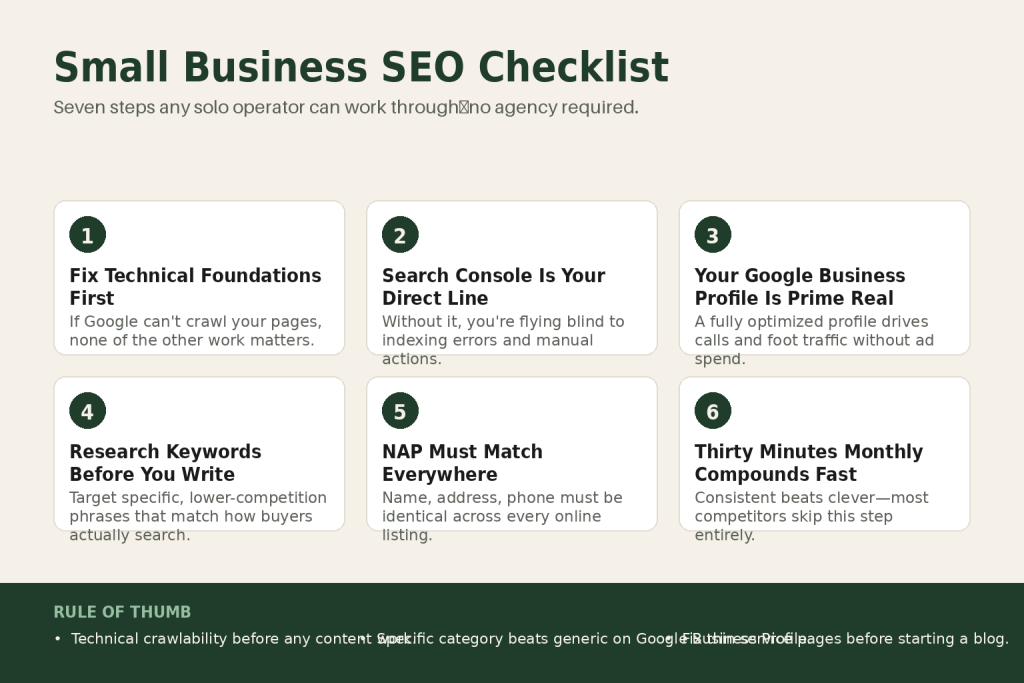
The 30-second answer
- Technical first: make sure Google can crawl and index your site before worrying about anything else.
- Set up Google Search Console (free) so Google can talk to you directly about your site’s health.
- Claim and fully complete your Google Business Profile — it’s your most visible local real estate.
- Do keyword research before you write: target specific, lower-competition phrases that match how buyers actually search.
- Fix on-page basics on every key page: unique title tag, one H1, keyword in the first paragraph, meta description written as a pitch.
- Lock in NAP consistency: your name, address, and phone number must be identical everywhere online.
- Build a monthly review habit: 30 minutes in Search Console each month compounds faster than any one-time sprint.
Take this fix into your next scenario. The free Builder’s Companion Kit collects the checklists and templates that pair with this guide — so next time, you start from a template, not a blank page. Grab it free →
- Step 1: Build the Technical Foundation (So Google Can Actually Find You)
- Step 2: Set Up Google Search Console (Your Direct Line to Google)
- Step 3: Claim and Optimize Your Google Business Profile
- Step 4: Do Keyword Research Before You Write a Single Word
- Step 5: Fix On-Page SEO on Every Key Page (The Small Business SEO Checklist You Run Page by Page)
- Step 6: Lock In NAP Consistency Across Every Listing
- Step 7: Build a Monthly Review Routine (30 Minutes, Every Month)
- Putting It Together: A Worked Example for a Local Service Business
- FAQ
The small business SEO checklist most operators find online is either written for a team of specialists or padded with advice that costs $500/month in tools to act on. This one is different. It covers the six areas that actually move the needle for a solo operator: technical foundation, Search Console setup, Google Business Profile, keyword targeting, on-page copy, and a monthly review habit. Work through it in order. Each layer supports the next. You don’t need an agency. You do need to supply the judgment, because no tool makes those calls for you.
Step 1: Build the Technical Foundation (So Google Can Actually Find You)
SEO advice tends to jump straight to content. That’s a mistake. If Google can’t crawl your pages, none of the other work matters. Think of your technical setup as the road: content is the car, but a car doesn’t move on a road that doesn’t exist.
Run this checklist before touching a single title tag:
- Indexation check. Type
site:yourdomain.cominto Google. The results tell you roughly how many pages Google has indexed. If key pages are missing, something is blocking the crawler. - HTTPS confirmed. Your site must load on
https://. A padlock in the browser bar is the visible sign; check that no pages serve over plainhttp://. - XML sitemap submitted. Most WordPress and website-builder platforms generate a sitemap automatically. Find yours (usually at
yourdomain.com/sitemap.xml), then submit it inside Search Console so Google knows exactly what to crawl. - Robots.txt not blocking key pages. Visit
yourdomain.com/robots.txt. If you seeDisallow: /blocking your whole site, that’s why you’re invisible. - Mobile usability. Google indexes the mobile version of your site first. Use the Mobile Usability report in Search Console to surface any broken layouts.
- Core Web Vitals. Reading your marketing data starts here. Largest Contentful Paint (LCP), Interaction to Next Paint (INP), and Cumulative Layout Shift (CLS) are the three metrics Google tracks. They’re not the most important ranking factor, content and relevance still dominate, but they act as a tiebreaker. When your content matches search intent and your site has reasonable authority, Core Web Vitals can make the difference between position three and position eight. That gap matters for traffic and conversions. Check your scores in the Core Web Vitals report inside Search Console. Most local business sites can move from “needs improvement” to “good” on Core Web Vitals with a focused afternoon of image compression and script cleanup.
Step 2: Set Up Google Search Console (Your Direct Line to Google)
Search Console is free, it’s made by Google, and most small business owners either haven’t set it up or set it up once and never looked at it again. That’s a problem worth fixing today.
Google Analytics tells you what happens after someone lands on your site. Search Console tells you what happens before: how often you show up in search results, which queries you show up for, which pages Google has and has not indexed, and whether Google has any problems with your site it wants you to fix. If your site gets hit with a manual action, a security issue, or a sudden indexing problem, Search Console is where Google tells you about it. Without it, you are flying blind.
Setup takes about 20 minutes:
- Go to
search.google.com/search-consoleand sign in with your business Google account. - If you use Google Analytics or Google Business Profile, use the same account. Keeping everything under one account makes life considerably easier.
- You have two property options: a domain property or a URL prefix property. A domain property covers all versions of your site (http, https, www and non-www) in one place. That’s the one to choose if you can access your domain’s DNS settings. If DNS sounds intimidating, the URL prefix option is simpler.
- Verify ownership via methods like domain name provider verification, HTML file upload, or Google Tag Manager.
- Submit your sitemap once verified.
Once it’s running, two reports earn a look every month: the Performance report (which queries drive clicks, where your average position sits) and the Coverage report (which pages are indexed and which have errors). Search Console also now includes a dedicated Generative AI performance report, launched in June 2026, that shows impressions from AI Overviews and AI Mode separately from standard search results, so you can start to see how your content is appearing across Google’s full range of search surfaces.
One thing Search Console can’t do: tell you what competitors are ranking for, or give you keyword ideas for pages you haven’t written yet. That’s what keyword research tools are for.
Step 3: Claim and Optimize Your Google Business Profile
If you serve local customers, your Google Business Profile (GBP) is the single highest-leverage SEO asset you own. Your Google Business Profile is often the first thing a potential customer sees before they ever click your website. A fully optimized profile can push you into the local map pack, drive more calls, and earn more foot traffic without spending a dollar on ads.
Work through this in order:
- Claim and verify. Before anything else, your profile needs to be claimed and verified. Google may already have an auto-generated profile for your address, pulled from public data, that you haven’t claimed yet. If one exists, you’ll see a “Claim this business” option when you search your business name in Google Maps. Start at
google.com/businessand work through the verification flow. Video verification is now the default method for most business types, so be ready to record a short continuous clip showing your signage, interior, and a live management action. - Business name. Use your exact legal business name. No keyword stuffing, no location modifiers shoehorned in. Google penalizes profiles that stuff keywords into the business name field, and the penalty can drop you out of the local pack entirely. Google now enforces much stricter business name policies, so adding words like “best,” “#1,” or stuffing keywords into your business name will get you flagged and potentially suspended.
- Primary category. This single field carries more ranking weight than almost anything else on your profile. Be as specific as possible. “Roofing Contractor” beats “Contractor.” “Personal Injury Attorney” beats “Law Firm.” Spend time on this, it directly shapes what searches your profile appears for.
- Business description. You get 750 characters. Use them. Write for the customer, not the algorithm, and include your most important service keywords naturally.
- Photos. Upload real photos: interior, exterior, team, and work examples. Generic stock images signal an inactive profile.
- Reviews. Reviews are a top-three local SEO factor. Ask every satisfied customer to leave a Google review. Respond to every review within 48 hours.
- Weekly posts. Weekly is a solid target for most local businesses. One helpful update per week keeps your profile looking active and gives customers a reason to click.
- UTM-tag your website link. Add a UTM parameter so traffic from your GBP shows up correctly in your analytics, not lumped into “direct.” See the guide on UTM naming conventions for the exact format.
Step 4: Do Keyword Research Before You Write a Single Word
Most solo operators write a page, publish it, then wonder why it doesn’t rank. The problem is sequence. Keyword research belongs before drafting, not after. It’s the difference between building a product for a market versus hoping a market finds your product.
You don’t need an expensive tool to start. For most small businesses, Google Search Console and Google Keyword Planner are the most valuable free tools, because they show real search data. Combine them with autocomplete and People Also Ask for a complete free workflow. Target specific, lower-competition phrases with clear buying intent, like a service plus a suburb, rather than broad competitive terms. These are easier to rank for and bring higher-intent visitors.
The free stack that covers most of what you need:
- Google Search Console. Check the Queries tab. It shows exactly what people already type to find your existing pages. Those are your real keywords, not guesses.
- Google Keyword Planner. Free even if you don’t buy Google Ads, so you never have to worry about running into limits or expensive upgrades. Volumes are sometimes shown as ranges rather than exact numbers when you’re not an active advertiser, so treat them as directional signals.
- Google autocomplete and People Also Ask. Type your core service into Google and note every suggestion. The “People Also Ask” box surfaces question-format keywords that work well in FAQ sections and blog posts.
- AnswerThePublic. Its free tier reveals the questions people ask around a topic, great for content and FAQ ideas.
One honest caveat: free tools show you volume and suggestions, but they won’t reliably show competitor backlink profiles or precise ranking difficulty. For those, you’d need a paid tool. That’s a reasonable upgrade once you’ve worked through the free stack and know which pages you’re actually trying to rank.
If you’re planning content to support your keywords, build that into your marketing calendar so publishing stays consistent, not sporadic.
Step 5: Fix On-Page SEO on Every Key Page (The Small Business SEO Checklist You Run Page by Page)
“On-page SEO” just means the things you control directly on each page: the title, headings, copy, images, and links. Get these right once per page and they keep working without ongoing maintenance.
Run this checklist on your homepage, every service page, and your top blog posts:
- Title tag. Unique title tag under 60 characters with the primary keyword near the front, meta description that’s actually a pitch (not a keyword stuffing exercise), one H1 per page. Search engines rewrite more than 62% of meta descriptions, so write yours as a genuine pitch for the click, if Google uses it, great; if Google rewrites it, you’ve still communicated intent clearly to the algorithm. Aim for 120 to 160 characters for your description.
- H1 heading. One per page, containing your primary keyword. It’s your page’s welcome sign.
- H2 and H3 structure. A clean heading structure does three jobs at once: it helps search engines understand sections, helps users scan, and improves accessibility for screen readers.
- Keyword in the first paragraph. Get your target phrase into the opening lines naturally. Don’t force it; don’t bury it.
- Image alt text. Every image needs a short, descriptive alt attribute. It helps accessibility and gives search engines context for images they can’t “see.”
- Internal links. Link from new pages to related pages. Internal links pass authority and help Google understand your site structure. They must use proper
hrefattributes, internal links that aren’t crawlable (JS-only, missing href, empty anchors) provide no SEO value. - Content depth. Build service pages with actual depth. Generic “we do plumbing” pages don’t rank or convert. Include pricing signals (even ranges), specifics about the process, and proof (reviews, before/after, case numbers). Thin pages lose to competitors with substance every time.
AI can help you draft and structure this content, but the specifics, your actual process, your real pricing signals, your genuine results, have to come from you. That’s what writing copy with AI actually looks like in practice: you supply the raw material, the tool helps you shape it.
If you’re working on service pages that double as conversion tools, the guidance in how to write a sales page yourself applies directly here, the SEO and conversion goals overlap more than most people think.
Step 6: Lock In NAP Consistency Across Every Listing
NAP stands for Name, Address, Phone. NAP consistency refers to your business name, address, and phone number being the same across all of your online citations. Whether on your Facebook page, a business directory or a review platform, there should be complete uniformity in how your data is shared.
This sounds pedantic until you see how easily it breaks. Listings with a changed name, such as “Joe’s Plumbing LLC” and “Joe’s Plumbing”, cause confusion for the algorithm. Changes in address format such as “123 Main Street, Suite 200” versus “123 Main St, Ste 200” create divergent interpretations.
The fix is a one-time audit with ongoing discipline:
- Decide on a single canonical version of your name, address, and phone number. Write it down.
- The fastest audit starts with exact-match searches for your business name, phone number, address, and website URL, then moves through Google Business Profile, Apple Business Connect, Bing Places, Yelp, Facebook, BBB, and core data providers.
- Update every listing to match your canonical version exactly.
- Duplicate listings, old phone numbers, missing suite numbers, stale hours, and tracking-number sprawl are usually higher priority than adding another batch of low-value directory links.
SEO citations remain one of the foundational elements of local SEO, acting as digital breadcrumbs that help search engines verify your business exists where you say it does. Fix the inconsistencies before you add new listings. Adding more citations on top of a broken foundation just amplifies the confusion.
Step 7: Build a Monthly Review Routine (30 Minutes, Every Month)
SEO isn’t a project you finish. It’s a practice you keep. The good news: once the foundation is right, the monthly work is genuinely light. Thirty minutes a month compounds into significant organic visibility over a year. Most competitors skip this part, which means consistent beats clever.
Here’s what a practical monthly session looks like:
- Search Console: Performance tab. Filter to the last 28 days and compare to the prior 28-day period. Look for pages where impressions rose but clicks didn’t follow. Those pages have ranking traction but weak titles or descriptions. If you only have time for one meta improvement this quarter, rewrite descriptions on pages that already have high impressions but low CTR.
- Search Console: Coverage tab. Any new errors? Pages moving from “indexed” to “not indexed” is a signal worth investigating immediately.
- Search Console: Core Web Vitals tab. Any new pages in the “Poor” category? That’s a flag before it becomes a rankings problem.
- Google Business Profile: Insights. How many calls, website clicks, and direction requests did your profile drive? Are reviews being responded to within 48 hours?
- One content action. Either publish one new piece targeting a keyword you identified, or update an existing page that’s ranking on page two (positions 11 to 20). Updating underperforming pages often produces faster results than writing new content from scratch.
Build this session into your marketing SOP so it happens on a fixed day each month, not when you remember. The operators who treat this as a recurring task rather than an occasional project are the ones who see compounding results.
If you’re already producing content and want more mileage from each piece, the content repurposing workflow shows how to spin one article into social posts, email content, and FAQ answers that reinforce your keyword signals across channels.
Putting It Together: A Worked Example for a Local Service Business
Say you run a one-person bookkeeping firm in a mid-size city. You want more inbound leads from Google. Here’s exactly how you’d work through this checklist.
Week 1: Technical and Search Console. You run site:yourdomain.com and find only 4 pages indexed when you have 12. You check robots.txt and find a legacy setting blocking your blog. You fix it, resubmit your sitemap, and request indexing for the blocked pages via the URL Inspection tool in Search Console.
Week 2: Google Business Profile. You search your business name in Google Maps and find an auto-generated profile you didn’t know about. You click “Claim this business,” work through the verification flow, set the primary category to “Bookkeeping Service” instead of “Financial Services,” upload five real photos of your workspace, and write a 700-character business description that mentions the specific types of clients you serve, small retail businesses and e-commerce sellers, rather than generic copy about “helping businesses with their finances.”
Week 3: Keyword research. You open Search Console and discover you’re already getting impressions for “bookkeeper for e-commerce” but ranking at position 22. You check Google Keyword Planner and find related phrases: “ecommerce bookkeeping services,” “bookkeeper for Shopify,” and “monthly bookkeeping for online store.” You note these for the page you’re about to update.
Week 4: On-page fixes. You update your services page title from “Services, ABC Bookkeeping” to “E-Commerce Bookkeeping Services | ABC Bookkeeping” (58 characters). You add a real H1 that matches, rewrite the first paragraph to open with the keyword, and add a short section on your process with real pricing ranges. You also add internal links from your blog posts to this services page.
Month 2 onward: NAP audit and monthly review. You search your business name and phone number in Google, find two old Yelp and Yellow Pages listings with your previous address, and update both. You set a calendar reminder for the first Tuesday of every month: 30 minutes in Search Console, one GBP post, one content update.
Six months in, the bookkeeping services page ranks on page one for two of the target phrases. The GBP drives a handful of calls a month. No agency. No paid tools. Just the checklist, worked in order.
FAQ
how long does small business SEO take to work
For a brand-new site, expect 3 to 6 months before you see meaningful organic traffic. For an existing site with technical problems fixed and on-page improvements made, some pages can move within 4 to 8 weeks. Local SEO via Google Business Profile often shows results faster than organic search rankings.
do I need to hire an SEO agency as a small business
Not to start. The technical foundation, Search Console setup, GBP optimization, and on-page basics on this checklist are all things a motivated owner can do without outside help. An agency becomes worth considering when you want to scale content production, run a link-building campaign, or manage SEO across multiple locations.
what is the most important SEO factor for a small business
For local businesses, your Google Business Profile and review count are the highest-leverage starting points. For businesses that rely on organic (non-local) search, content relevance and clear on-page targeting matter most. Technical issues are the silent killer: they cap every other effort until you fix them.
can AI write SEO content for my small business
AI can help you structure, draft, and refine content faster than writing from scratch. But the specifics that make a page rank and convert, your actual process, real pricing signals, genuine client outcomes, have to come from you. Treat AI as a drafting assistant, not a replacement for your expertise and judgment.
how do I know if my SEO is actually working
Open Search Console and compare the last 28-day period to the prior 28-day period. Rising impressions mean you’re gaining visibility. Rising clicks mean the visibility is converting. For local SEO, track calls and direction requests inside your Google Business Profile Insights. Avoid vanity metrics like “ranking for one keyword”, look at aggregate click trends over time.
does my small business need a blog for SEO
Not necessarily. If you have thin, incomplete service pages, fixing those will move the needle faster than starting a blog. A blog helps when your service pages are already strong and you want to capture informational searches from buyers early in their research process. Build the foundation first.
Sources:
- Google Search Central, Search Console Help (search.google.com/search-console/about), setup, Coverage and Performance reports, URL Inspection tool, sitemap submission
- Google Search Central, Core Web Vitals documentation (developers.google.com/search/docs/appearance/core-web-vitals), LCP, INP, CLS thresholds and ranking guidance
- Google Business Profile Help (support.google.com/business), category selection, name policy, profile verification
- BrightLocal, “What is NAP in Local SEO?” (brightlocal.com/learn/what-is-nap/), NAP consistency definition and citation guidance
- Straight North, “How to Optimize Title Tags and Meta Descriptions in 2026” (straightnorth.com), meta description rewrite rate and CTR signals
- Fog Digital Marketing, “Core Web Vitals 2026” (fogdigitalmarketing.com), March 2026 core update composite performance score context
- 20 Minute Marketing, “How to Do Keyword Research for Free in 2026” (20minutemarketing.com.au), free keyword research tool stack
- Search Engine Journal, “Google Now Reports AI Search Impressions” (searchenginejournal.com), Generative AI performance report in Search Console, launched June 3, 2026, covering AI Overviews and AI Mode impressions
- Google Search Central announcement via CMSWire, “Google Adds AI Visibility Reports to Search Console” (cmswire.com, June 2026), confirmation of AI Overviews and AI Mode as current Search Console report terminology
Brian Kasday spent forty years in direct-response marketing before rebuilding the whole operation as a one-person shop. He writes The Operator’s Library — including “Build a Complete Marketing Department” — for operators who’d rather build it themselves than wait on someone else.
Get the Builder’s Companion Kit — the free checklists and templates that pair with this guide: mmsvegas.com/resources.
This guide handles one marketing job. Build a Complete Marketing Department builds the whole department. See the manual →
More Marketing guides
Free · Marketing Operator Toolkit
Running marketing on your own?
Get the free toolkit — the templates and the expensive mistakes behind a one-person marketing department, plus a note when this guide changes.
Get the free toolkit →